Setting up a Pentest agent on a resurrected laptop
I recently came into possession of a Lenovo Yoga 530. It had some unresponsive keys, but I figured it would be a nice little project to fix it and put it to use.
The fixer-upper
This laptop came to me from my mother-in-law. It was in really great condition, except the Q, W, E and left shift keys did not work. I figured it should not be too difficult to fix… oh boy was I equal parts wrong and right.
The tear down
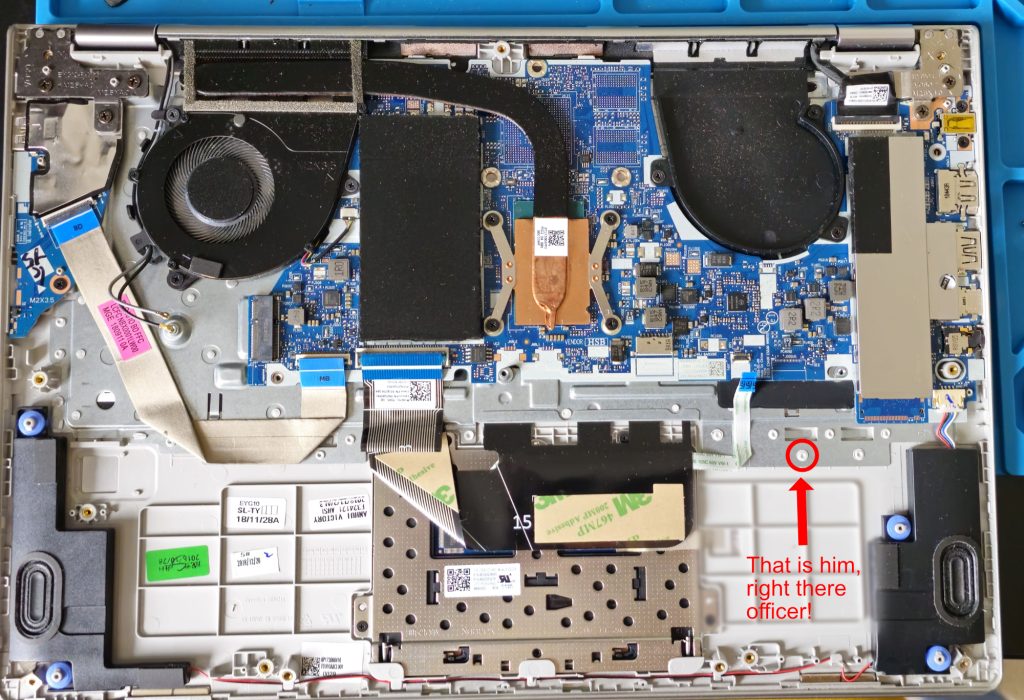
I got it home, got it open and got to work. Not really being a laptop repair guy, I had anticipated to see something ‘serviceable’ under the mobo. Once I had the battery out I could see how to access the keyboard. In the image below I circled just one of the many, many plastic welds I had to undo with my soldering iron. Right to repair, am I right? Not only was this a pain because “who wants to sit and melt plastic when this could have been a few screws”, but also the iron is hot, and I had lots of loose ribbon cables flapping around. I very nearly melted through the trackpad ribbon when my focus lapsed, but lucky for me, I did not go through any traces.
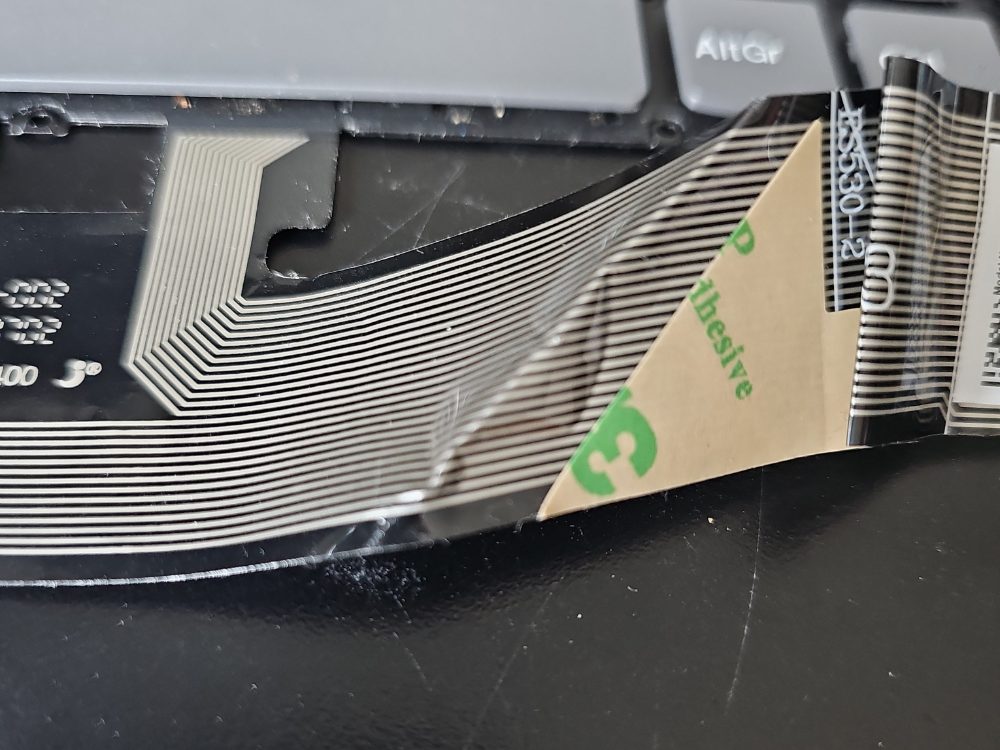
Once I had removed the mobo, and melted those plastic welds, then another layer of them on the keyboard itself, I found myself looking at a membrane keyboard. Think a thin sheet of plastic with keys and you won’t be a million miles away. This was not the adventure in trying out my new soldering iron I had expected. I did see the problem though. The image below captures it well. The ribbon had an obvious bad crease. I realised there was nothing I could do at this point, so I reassembled, found that even more keys had stopped working now, and took to eBay to get a replacement.
The Fix
After choosing between a £200 listing, and a £15 listing (I went for the £15 of course), the new keyboard was with me. I did another quick tear down, replaced the keyboard, reassembled, tore down again because I had put the trackpad ribbon in upside down… and I had a fully working laptop! The only issue now was it was running a Windows 10 OEM edition, and it wanted me to install some sort of malware called McAfee…
Now what?
I thought for a while how I might put this newly fixed laptop to use, and then it dawned on me. I have been working on my own small web studio and hosting platform, billko.uk. I am self-hosting on a Hetzner VPS and honestly, learning as I go. That, and over the years I have exposed different ports on my router, as well as my Raspberry Pi to the public internet. I need a penetration tester!
Being a full stack developer, pen testing is on my periphery. It is something in my day job that we contract out once a year, and my main exposure of it is “here’s a list of things to fix”. I’d heard of Kali Linux on the grapevine (it was this Fireship video) and decided I could install that as my new OS and set up Claude Code to run a Pentesting agent. This part was actually ‘anticlimatically’ easy.
I ran through the installer, booted to the desktop, installed Claude Code and then asked it to create a pentest agent, because really, who creates an agent any other way? We went over the scope, which included authorized targets (IPs/Networks I own and operate, so the external IP of my VPS, my router LAN Gateway IP and my Pi LAN IP), which commands to run (all reconnaissance, so nmap, Nikto etc) and to produce a markdown report with findings and actions.
That was it! I ran it, found I had hardened my VPS and home network pretty well (if I don’t say so myself). No unexpected open ports, no password or root access on SSH and so on. And just a few minor findings that prove how poor security is on ‘smart devices’. Looking at you Tapo… Now I can have at least a basic level of security testing as and when I need.
I don’t see this replacing a real pentester, but for a solo dev who would not have had this facility otherwise, this is a huge step-up.
Word of Warning
Finally, if you do this yourself at home, you MUST have express permission to run against any infrastructure you do not own. This is no joke, you could go to jail (and then you won’t get to pass go and collect $200). If you are thinking of breaking the law in such a way, I highly recommend you read Computer Misuse Act 1990, and then think about your life choices.